 cruto
cruto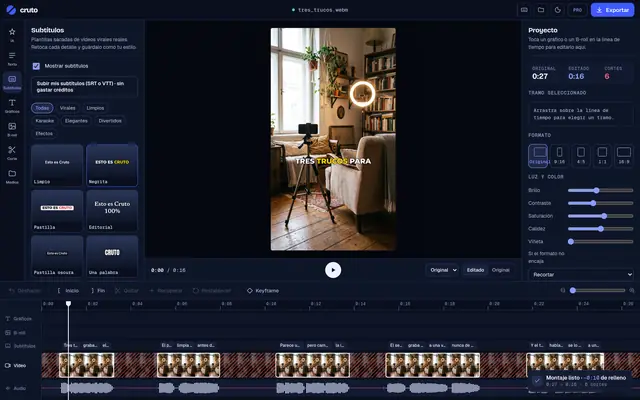



Record reading any viral video.
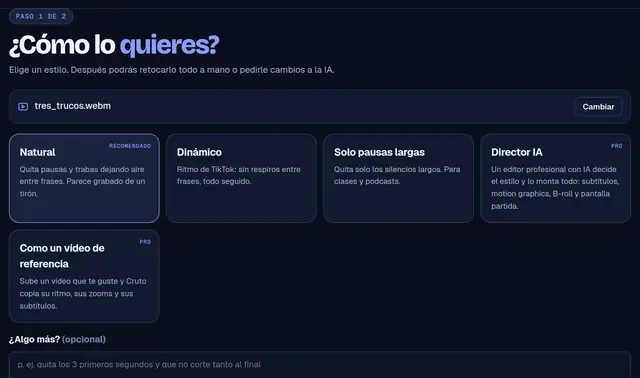
Paste a reel link, read it on a teleprompter right under your camera, and Mimesis copies the edit. A video ready to post in minutes.
macOS 11 or later · Free to download · Requires the Pro plan
Paste a reel, TikTok or Short: Cruto pulls out what it says, word by word.
Floats above everything, right under the webcam, and only scrolls while you talk.
Your recording and the viral open in Mimesis. One click copies cuts, zooms and captions.
Install in 3 steps
It is not on the App Store yet, so the first time macOS asks for one more click. Only once.
- 1Drag Cruto to Applications
Open the file you downloaded and drag the Cruto icon onto the Applications folder.
- 2Right-click → Open
In Applications, right-click (or Control-click) Cruto, choose “Open” and confirm with “Open”.
- 3If macOS blocks it
Go to System Settings → Privacy & Security, scroll to “Cruto” and click “Open Anyway”. Then sign in with your account.
Cruto for Chrome
The same, in your browser: a “Record this video with Cruto” button on every reel, TikTok or Short, a teleprompter under your webcam (or floating, always on top) and Mimesis with everything loaded. Nothing else to install.
Coming soon to the Chrome Web Store. Can’t wait? Download it, open chrome://extensions → turn on “Developer mode” → “Load unpacked” and pick the folder.
You need the Pro plan
The app is free to download. To record, get scripts and copy edits you need Pro or Studio. It uses your plan credits, just like the web.
Does it work with my iPhone camera?
Yes. Bring your iPhone close to the Mac (same Apple Account, Wi-Fi and Bluetooth) and pick “iPhone Camera” in the app.
Which formats does it record?
9:16, 16:9, 1:1, 4:5 and 3:4, in 1080p with no black bars. A copy always stays in Movies → Cruto.
Why does macOS warn me when opening it?
Because it is a new app that has not gone through Apple review yet. It is safe: it is the same Cruto as the web, on your desktop.
What about Windows?
Coming later. Meanwhile, use Cruto for Chrome: it works the same on Windows.